
7. 开机自启动应用
本章节介绍如何开机自启动应用的Activity和Service。
7.1. 通过自启动脚本启动Activity
野火安卓系统默认自启动的shell脚本位于/system/bin/android_shell.sh,由/vendor/etc/init/init.[对应芯片名字].rc(如init.rk3588.rc)调用执行,脚本内容如下:
1 2 3 4 5 6 7 8 9 10 11 12 13 | #!/system/bin/sh
# Android system init.rc boots up and executes shell script
echo "Are You Ok?"
echo "Shell startup has been executed!"
timeout=30
while [ "$(getprop sys.boot_completed)" != "1" ] && [ $timeout -gt 0 ]; do
sleep 2
timeout=$((timeout - 1))
done
# sleep 5
|
其中getprop sys.boot_completed是Android系统的一个系统属性,在系统启动完成前,该属性不存在或值不是”1”。 当SystemServer启动完毕、所有核心服务就绪后,ActivityManagerService会将其设为”1”,脚本通过循环检查这个属性,最多等待30秒(每2秒检查一次)。 一旦sys.boot_completed == “1”,说明Android系统已完全启动,脚本才会继续往下执行。
因此,可在脚本末尾添加启动应用的shell命令,从而实现开机自启动自己应用的Activity。
以自启动野火综合测试应用的Activity为例:
1 2 3 4 5 6 7 8 9 10 11 12 13 14 15 16 17 18 | #重新挂载系统
adb root && adb remount
#拉取系统中的android_shell.sh
adb pull system/bin/android_shell.sh
#电脑文本软件打开android_shell.sh,在其末尾添加命令
am start -n com.example.ebf_android_app/.MainActivity
#将修改后的android_shell.sh的覆盖到系统system/bin/
adb push android_shell.sh system/bin/
#重启系统
adb reboot
|
修改完成并重启系统后,进入桌面后可见默认启动了野火综合测试应用,如下图:
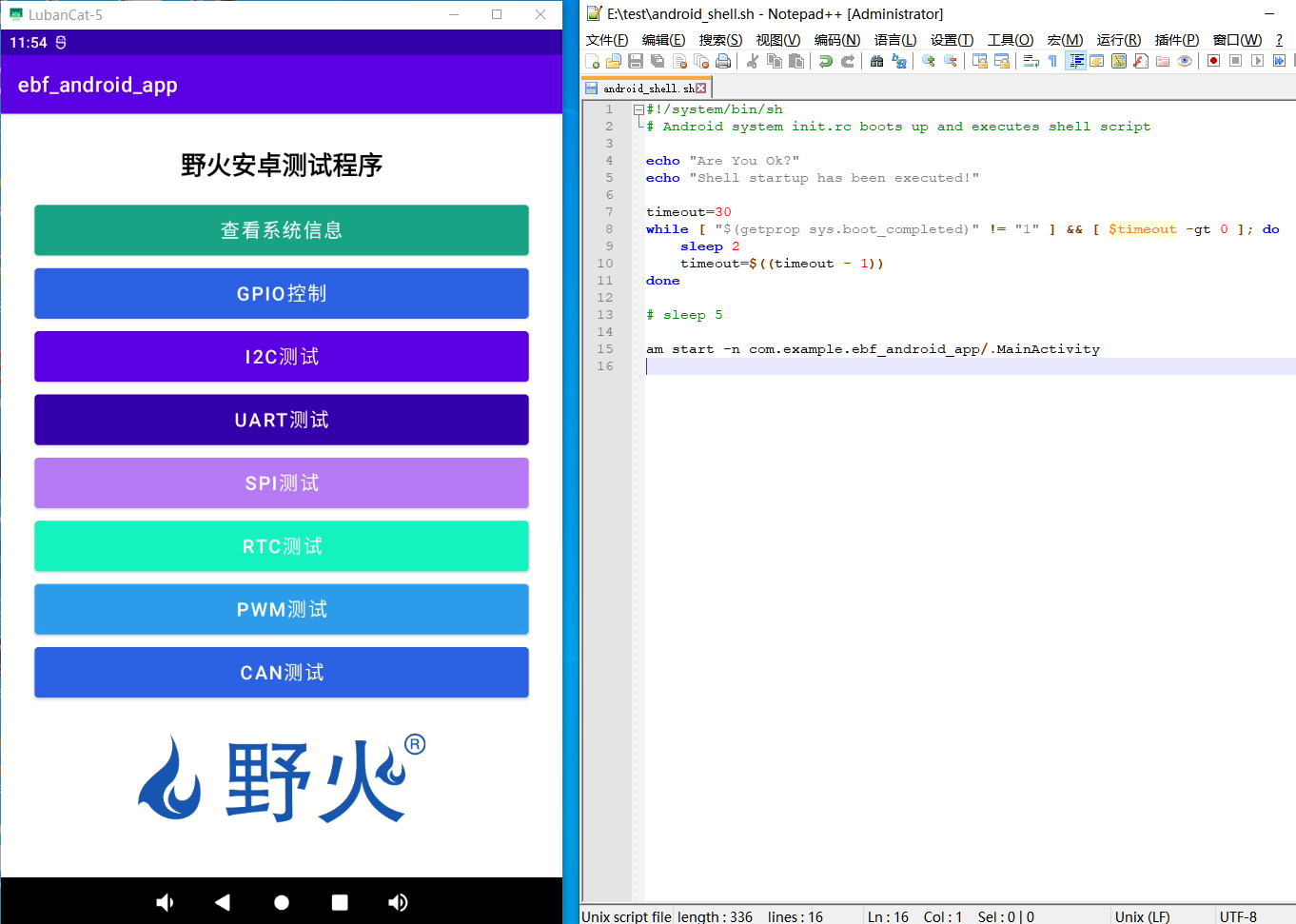
如需修改SDK源码来修改android_shell.sh,该文件位于SDK源码/device/rockchip/rk[具体芯片]/android_shell.sh,由SDK源码/device/rockchip/rk[具体芯片]/init.rk[具体芯片].rc中调用脚本, 由SDK源码/device/rockchip/rk[具体芯片]/device.mk中拷贝脚本进系统。
7.2. 通过广播启动Service
当设备完成启动后,系统会发送一个android.intent.action.BOOT_COMPLETED广播,只有在设备启动成功、用户解锁之后,广播才会被发送,通过监听该广播,我们可以在设备开机时执行自启动逻辑。
创建一个名字为test_app的应用项目,然后创建一个BootReceiver.java,内容如下:
1 2 3 4 5 6 7 8 9 10 11 12 13 14 15 16 17 18 19 20 21 22 | package com.example.test_app;
import android.content.BroadcastReceiver;
import android.content.Context;
import android.content.Intent;
import android.util.Log;
public class BootReceiver extends BroadcastReceiver {
private static final String TAG = "BootReceiver";
@Override
public void onReceive(Context context, Intent intent) {
// 检查是否接收到BOOT_COMPLETED广播
if (Intent.ACTION_BOOT_COMPLETED.equals(intent.getAction())) {
Log.d(TAG, "接收到BOOT_COMPLETED广播");
// 启动后台服务
Intent serviceIntent = new Intent(context, AutoStartService.class);
context.startService(serviceIntent);
}
}
}
|
再创建一个AutoStartService.java,内容如下:
1 2 3 4 5 6 7 8 9 10 11 12 13 14 15 16 17 18 19 20 21 22 23 24 25 26 27 28 29 30 31 32 33 34 35 | package com.example.test_app;
import android.app.Service;
import android.content.Intent;
import android.os.IBinder;
import android.util.Log;
public class AutoStartService extends Service {
private static final String TAG = "AutoStartService";
@Override
public void onCreate() {
super.onCreate();
Log.d(TAG, "服务已创建");
}
@Override
public int onStartCommand(Intent intent, int flags, int startId) {
Log.d(TAG, "服务已启动,intent: " + intent);
return START_STICKY;
}
@Override
public void onDestroy() {
super.onDestroy();
Log.d(TAG, "服务正在销毁");
}
@Override
public IBinder onBind(Intent intent) {
return null;
}
}
|
修改AndroidManifest.xml添加权限声明和组件注册:
1 2 3 4 5 6 7 8 9 10 11 12 13 14 15 16 17 18 19 20 21 22 23 24 25 26 27 28 29 30 31 32 33 34 35 36 37 38 39 40 41 42 43 44 45 46 | <?xml version="1.0" encoding="utf-8"?>
<manifest xmlns:android="http://schemas.android.com/apk/res/android"
xmlns:tools="http://schemas.android.com/tools">
<!-- 声明RECEIVE_BOOT_COMPLETED权限 -->
<uses-permission android:name="android.permission.RECEIVE_BOOT_COMPLETED" />
<application
android:allowBackup="true"
android:dataExtractionRules="@xml/data_extraction_rules"
android:fullBackupContent="@xml/backup_rules"
android:icon="@mipmap/ic_launcher"
android:label="@string/app_name"
android:roundIcon="@mipmap/ic_launcher_round"
android:supportsRtl="true"
android:theme="@style/Theme.Test_app"
tools:targetApi="31">
<!-- 注册BootReceiver,监听开机完成广播 -->
<receiver
android:name=".BootReceiver"
android:enabled="true"
android:exported="true">
<intent-filter>
<action android:name="android.intent.action.BOOT_COMPLETED" />
</intent-filter>
</receiver>
<!-- 声明自启动服务 -->
<service
android:name=".AutoStartService"
android:enabled="true"
android:exported="false" />
<activity
android:name=".MainActivity"
android:exported="true">
<intent-filter>
<action android:name="android.intent.action.MAIN" />
<category android:name="android.intent.category.LAUNCHER" />
</intent-filter>
</activity>
</application>
</manifest>
|
编译apk安装到板卡,重启后执行以下命令监控服务日志:
1 2 3 4 5 6 7 8 9 10 11 12 13 14 15 | #查看BootReceiver日志
adb logcat -s BootReceiver AutoStartService
#信息输出如下
--------- beginning of system
10-11 13:59:26.450 641 1662 I BootReceiver: Copying /sys/fs/pstore/console-ramoops-0 to DropBox (SYSTEM_LAST_KMSG)
10-11 13:59:26.457 641 1662 I BootReceiver: Copying audit failures to DropBox
10-11 13:59:26.459 641 1662 I BootReceiver: Copied 19344 worth of audits to DropBox
10-11 13:59:26.460 641 1662 I BootReceiver: Checking for fsck errors
10-11 13:59:26.461 641 1662 I BootReceiver: fs_stat, partition:cache stat:0x3
10-11 13:59:26.461 641 1662 I BootReceiver: fs_stat, partition:userdata stat:0x3
--------- beginning of main
10-11 13:59:28.120 2049 2049 D BootReceiver: 接收到BOOT_COMPLETED广播
10-11 13:59:28.124 2049 2049 D AutoStartService: 服务已创建
10-11 13:59:28.124 2049 2049 D AutoStartService: 服务已启动,intent: Intent { cmp=com.example.test_app/.AutoStartService }
|
从信息输出可见,接收到了BOOT_COMPLETED广播,并且AutoStartService成功创建并启动。